QUICK-LINK - STANDARD
STATE OF THE ART NC-CODE EDITING AND COMMUNICATIONS for PC-DNC
QUICK-LINK for WINDOWS provides a low-cost, NC-Editing, fast BI-directional machine data file transfer and storage solution for your machine tool controllers. QUICK-LINK includes a comprehensive list of powerful, easy to learn and use capabilities that provide the user with a flexible Editing / Verifying & DNC solution. Along with the ability to interface to other software applications.
Download A Demo of QUICK-LINK Standard
See New Features for 2013
QUICK-LINK EDITING FEATURES:
Easy to learn and use. Follows all WINDOWS interface standards. Extensive on-Line help is always available.
Huge editing capacity, edit several multi-megabyte files at once. Full 32 Meg File Editing
Cut / Copy & Paste Between Files
Smart Editing - Knows your machine.
For 32/64 Bit WINDOWS XP / Vista / 7 / 8 / 10
Powerful NC-Commands for fast NC-Code changes
Works with NC-files from any CAD/CAM system or utility.
NC-Code macros — Standard sequences of blocks can be easily stored / retrieved
Color Pretty Printing - NC-Code listings enhanced for easier reading
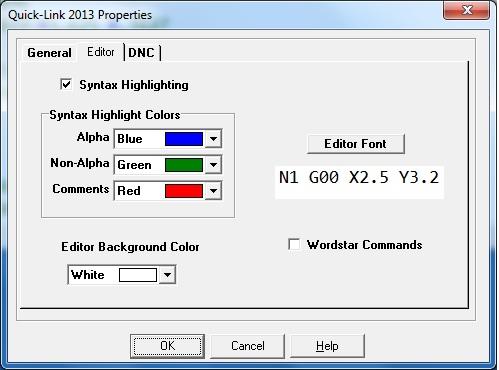
Syntax Highlighting with Customizable Colors
Customizable Editor Background Color
QUICK-LINK DNC FEATURES:
Advanced machine COMMUNICATIONS package. Includes advanced high speed protocols, and extensive customization options.
Use with up to 16 Serial Ports (256 for the Professional Version)
Detailed instructions on cabling and setup of most all popular CNC's
Print Machine Settings/list of all DNC settings
Multiple Uploads -- Select & upload several files to your machine tool at once, using a single command.
Default Directory Override -- If
preferred, Up/Down loads can be automatically routed to the "current"
directory instead of the default directory for the current machine.
QUICK-LINK ADDITIONAL FEATURES:
File Comparison - Shows changes between two version of a file.
Triangle Solver - Solves any Triangle (NOT just Right Triangles)
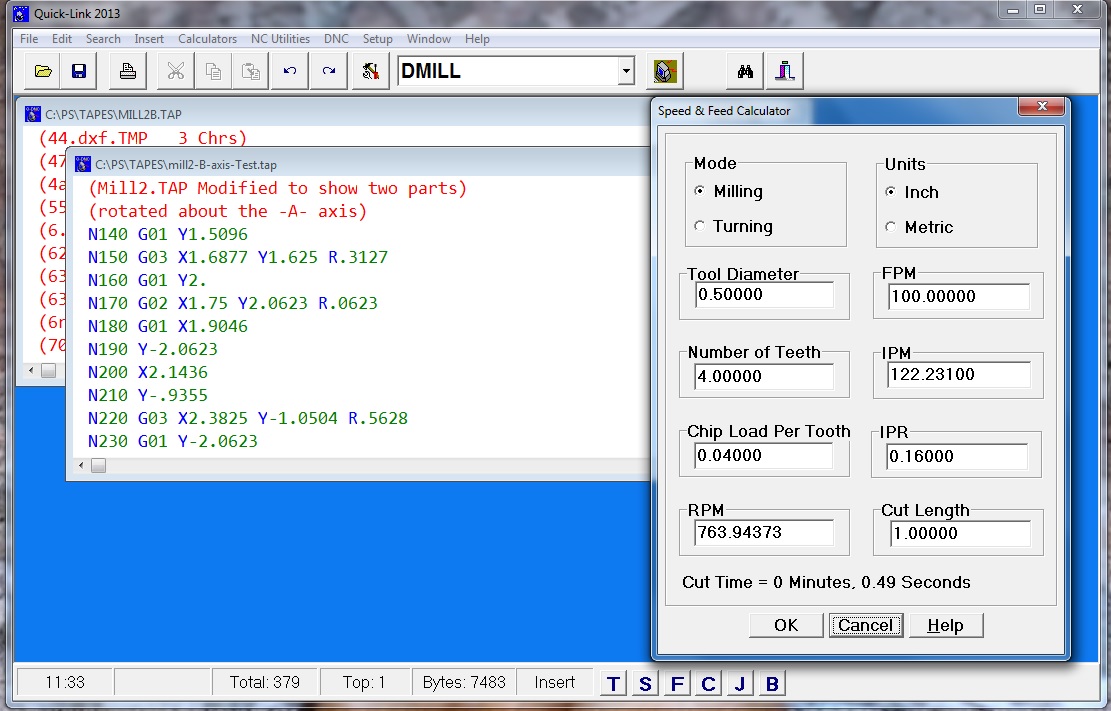
Feed & Speed Calculator Works like a spreadsheet, change one number the rest are automatically updated. Supports Milling/Turning, Inch and Metric.
Quick-Calculator -- Built in simple desktop calculator.
Powerful Fanuc MACRO-B interpreter. Build, Test, and Debug MACRO-B Programs in QUICK-LINK, not at the Machine. Special Language Extensions Allow for Use as a General Purpose NC Calculation Language. Example: A General Bolt-Circle Macro is Included, Once Run and the Coordinates Calculated, the Code Can then be Reformatted for Any Machine, not just Machines With MACRO-B Capability.
Centralized Setup of All QUICK-LINK Defaults
One Step Backup/Restore for All DNC/Machine Settings.
NC-Code Analyzer -- The NC-Code analyzer is included with Quick-Link. A single command integrates these two programs. Click on a single icon and the NC-Code Analyzer is started and your current NC-Code file and machine automatically loaded.
SPECIALIZED NC COMMANDS
NC block numbers re/un-sequencing
Adjust (mathematically, ADD, SUBTRACT, MULTIPLY, DIVIDE) the tape registers (Ex: X, Y Z)
Reformatting (changing the decimal, leading/trailing zero format)
Speed & feed overriding
Change the start/end of every block
Removing comments
Adding / removing spaces
Single click File Cleanup
Create columized listings.
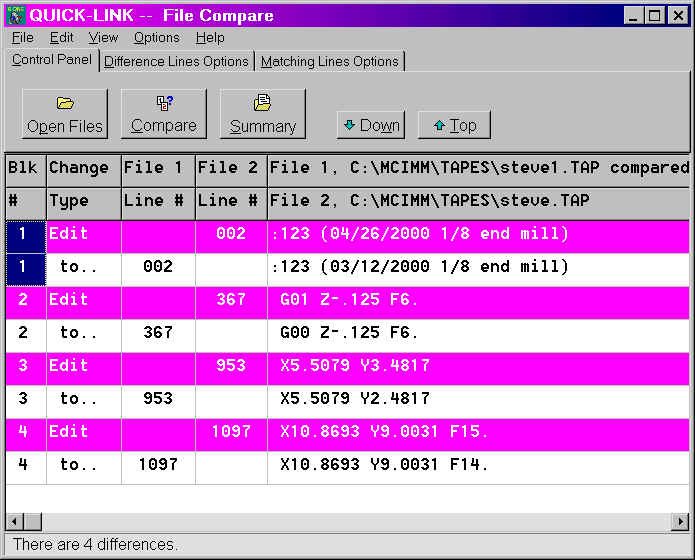
Sample File Comparison
![[Image]](pict3.jpg)
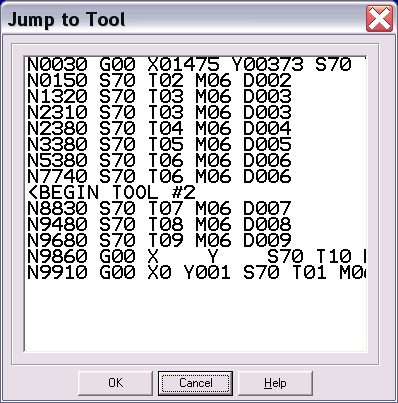
Jump to Tool Command -- Scans the NC-Code file for all tool changes and provides a quick way to jump directly to a specified tool.
Customization
Setup defaults for each machine include, format information, communications parameters, default loading / saving, upload & download directories. Default file extension, Even store default answers for the special NC-Commands.
System Security -- Quick-Link now includes a full password/user security system. Individual users are assigned a user name and a password. Each user can have specific "Privileges" turned on or off. For example you may want to limit a night shift user to be able to send and receive files, but not edit them. You may want strictly a manager to be able to change the system settings. A full activity log showing who did what and at what date and time.
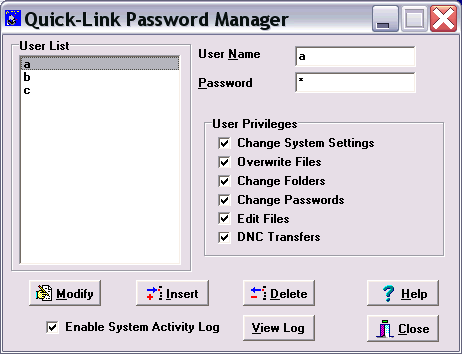
Password Manager Dialog
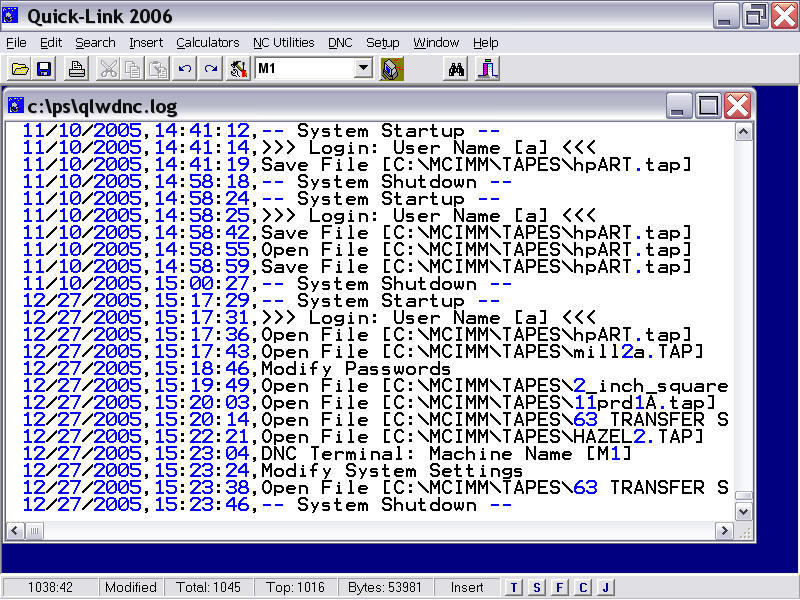
Sample System Activity Log.
New Features in Quick-Link Standard
New Editing Features:
NC-Utilities File Splitter, Split subs . Takes a file containing two or more sub-programs, and extracts them into separate files. Ideally used with a "Punch/Output All" sent from the machine.
Edit - Jump to Sub program, similar to the "Jump to tool" command, displays a list of subprogram headers, and allows you to quickly jump to there location in the file.
File-Print -- File name and full path are printed in the page header
File-Open/Save, Print (uses best windows Dialog version available)
File-Menu more recently used files
New DNC Setup Features:
All port numbers now available (COM1..256). Port usage is checked against total licensed number of ports. 16 for Quick-Link, 256 for Quick-Link-Pro.
Under the port selection box, there is a new "Test Port" button.
[Print] button now prints a DNC summary.
New General Features:
Updated NC-Code Analyzer (Note: Windows XP or higher)
Under the "Calculators" menu, there is now a Speed/Feed calculator. Works like a spreadsheet, change one number the rest are automatically updated. Supports Milling/Turning, Inch and Metric.
Multiple instances, you can now start more than one copy of Quick-Link. This allows for DNC sending / receiving while continuing to edit.
Setup - Program ID code (default = "O") Example O1234
Quick-Link Results Window – Triangle, Speed/Feed, Setup-Print all automatically create and display results in a special window.
Quick-Link now starts fully maximized
Larger Icons/Fonts for Touch screens
Browser for directories/folders setup